Debug the Gemini API with Smello
The Google Gen AI Python SDK turns short generate_content() calls into structured HTTP requests with system instructions, conversation history, tools, and usage metadata. Smello captures those requests through the SDK's httpx or aiohttp transport and displays GenerateContent payloads as a readable LLM conversation.
Setup
Then run your script with smello run:
No Smello imports or code changes are needed. The Google Gen AI SDK uses httpx by default and supports aiohttp for async calls. Smello patches both clients automatically.
Example script:
basic_gemini.py
Scenario: debugging repeated Gemini function calls
The Python SDK can run functions automatically when you pass callables as tools. A single generate_content() call may produce several Gemini API requests while the SDK sends function results back to the model. If a tool runs more often than expected, inspect the full exchange instead of adding print statements around each function.
from google import genai
from google.genai import types

client = genai.Client()
response = client.models.generate_content(
    model="gemini-3.5-flash",  # Current stable Flash model
    contents="Where is order 1042?",
    config=types.GenerateContentConfig(
        system_instruction="Use the order tool before answering.",
        tools=[get_order_status],
    ),
)
Debug in the dashboard
Open the Smello dashboard and select a request to generativelanguage.googleapis.com:
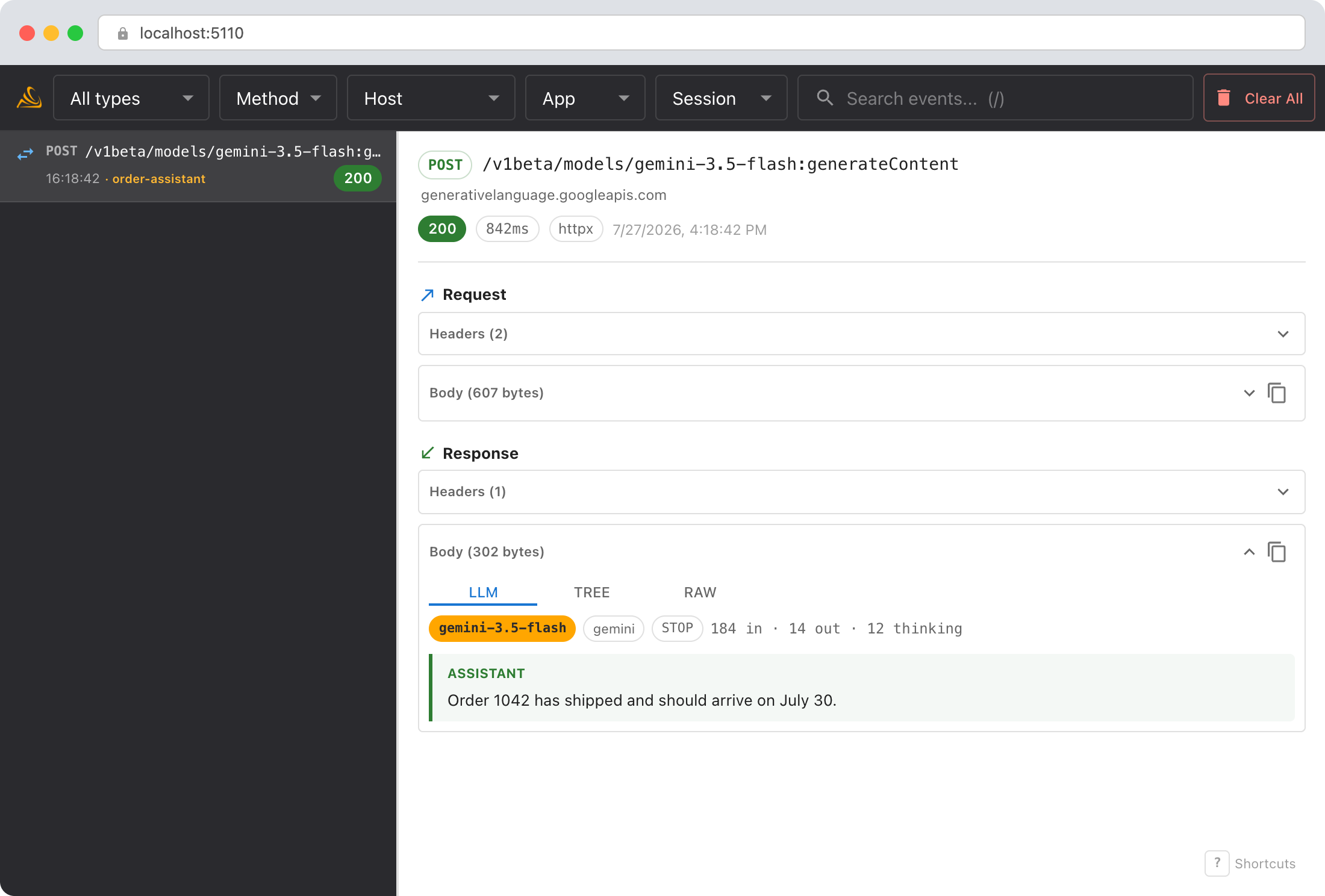
- System instructions: confirm that Gemini received the rule you intended.
- Messages: follow user, model, and tool turns in order.
- Function calls: inspect each function name and its decoded JSON arguments.
- Token usage: compare input, output, cached, and thinking tokens across calls.
The LLM conversation view
Smello recognizes native Gemini GenerateContent requests, responses, and streams. The LLM tab separates text, thinking, function calls, function responses, and tool declarations. The response header shows the model version, finish reason, and token usage.
The Tree and Raw tabs preserve the exact captured payload. Smello also captures other Gemini HTTP endpoints, but payloads from the newer Interactions API currently use these generic views.
Debug with an AI agent
If you use Claude Code or another AI coding tool, the /smello skill can query captured events and compare the function-call sequence with your source code. Install it once:
Then ask your agent:
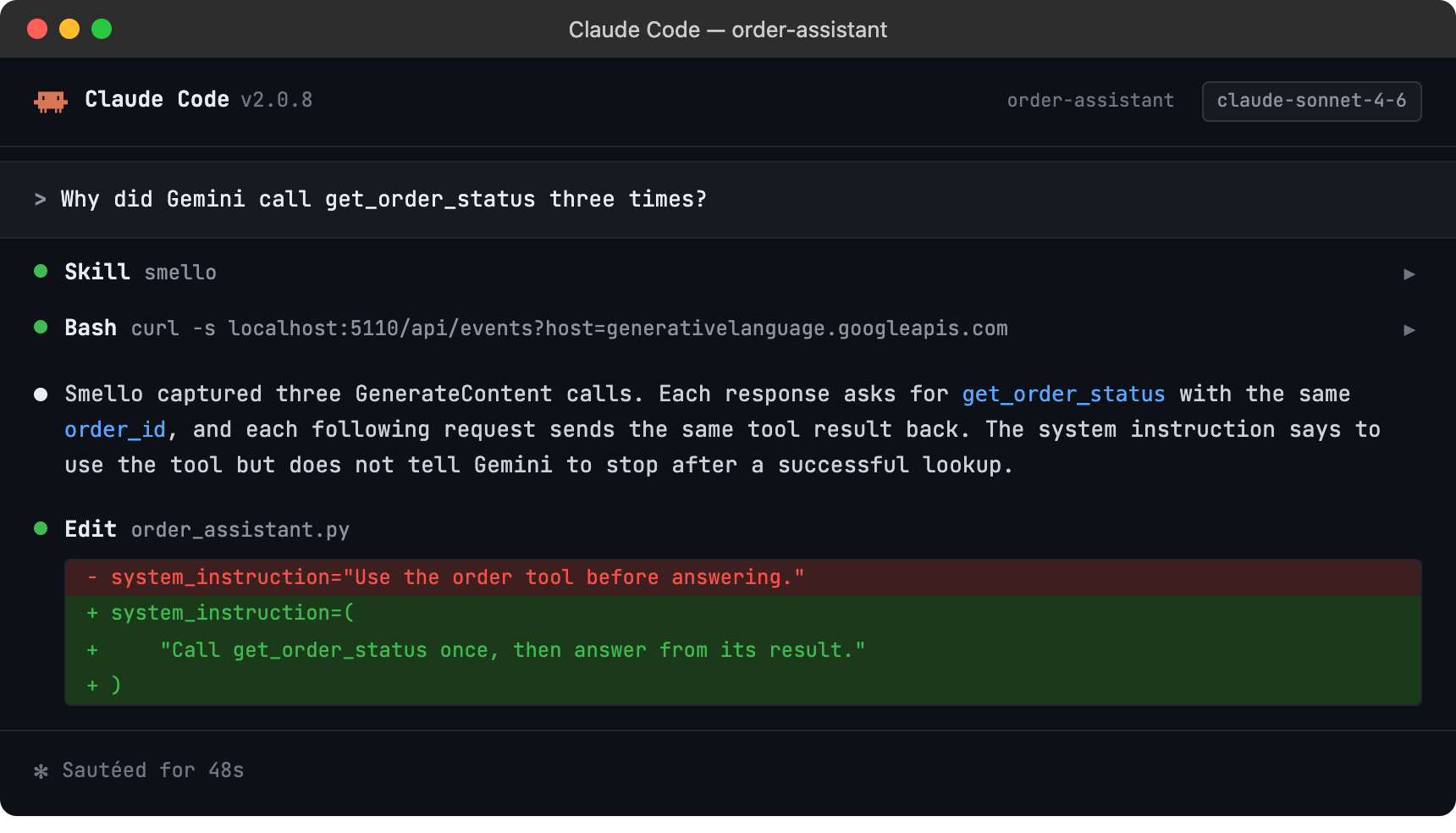
The skill is also invoked automatically when your agent recognizes a debugging question, but calling /smello explicitly gives the best results. See AI Agent Skills for compatible tools.
Tips
- API keys: Smello redacts the
x-goog-api-keyheader by default. - Streaming: GenerateContent streams are reassembled in the LLM view, so you can read the complete answer beside the captured events.
- Automatic function calling: One SDK method call may cause several HTTP requests. Use the timeline to see every model and tool turn.
- Legacy SDK: Google deprecated the
google-generativeaipackage in favor ofgoogle-genai. New code and this guide use the current package. - Vertex AI: The
google-genaiSDK can call Gemini through the Developer API or Vertex AI. Smello captures either transport when it uses patched HTTP clients.
See Google's Gemini 3.5 Flash model documentation for the current model code and capabilities.
Next step: follow the getting started guide for installation, configuration, and more.