Debug requests with Smello
The requests library is Python's most popular HTTP client. When you're integrating with a REST API, the most common frustration is not seeing what your code actually sent: wrong headers, malformed JSON, unexpected redirects. Smello captures every requests call automatically.
Setup
Then run your script with smello run:
Every call through requests.get(), requests.post(), or Session.send() is now captured. No proxy configuration, no code changes.
Example script:
basic_requests.py
Scenario: debugging a 401 from a REST API
You're calling a third-party API and getting 401 Unauthorized, but you're sure you set the token. Is it a typo? Wrong header name? Expired token?
session = requests.Session()
session.headers["X-Auth-Token"] = get_api_token()

resp = session.get("https://api.acme.com/v1/users")
# 401: why?
Debug in the dashboard
Open the Smello dashboard at http://localhost:5110. Click the failed request to see the full detail view:
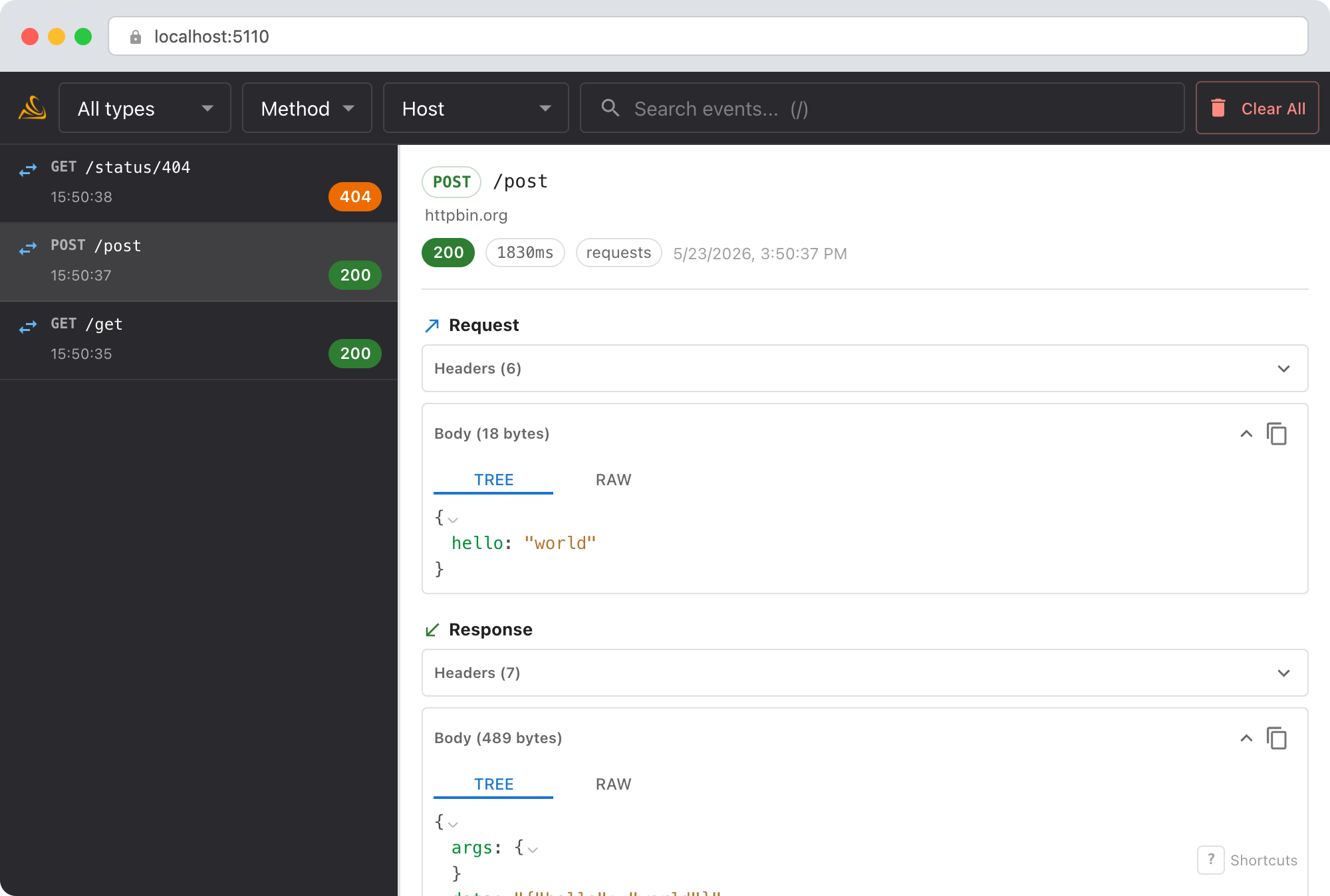
- Request headers: verify the exact header name and value that was sent. Maybe the API expects
Authorization: Bearer ...but you sentX-Auth-Token. - Request URL: check for typos, wrong base URL, or missing path segments.
- Response body: many APIs include a helpful error message in the 401 response that
resp.status_codealone doesn't show you. - Remote host group: wraps adjacent loaded calls to the same destination while preserving runtime parenthood and record order.
Debug with an AI agent
If you use Claude Code or another AI coding tool, the /smello skill can query captured events and cross-reference them with your source code. Install it once:
Then ask your agent:
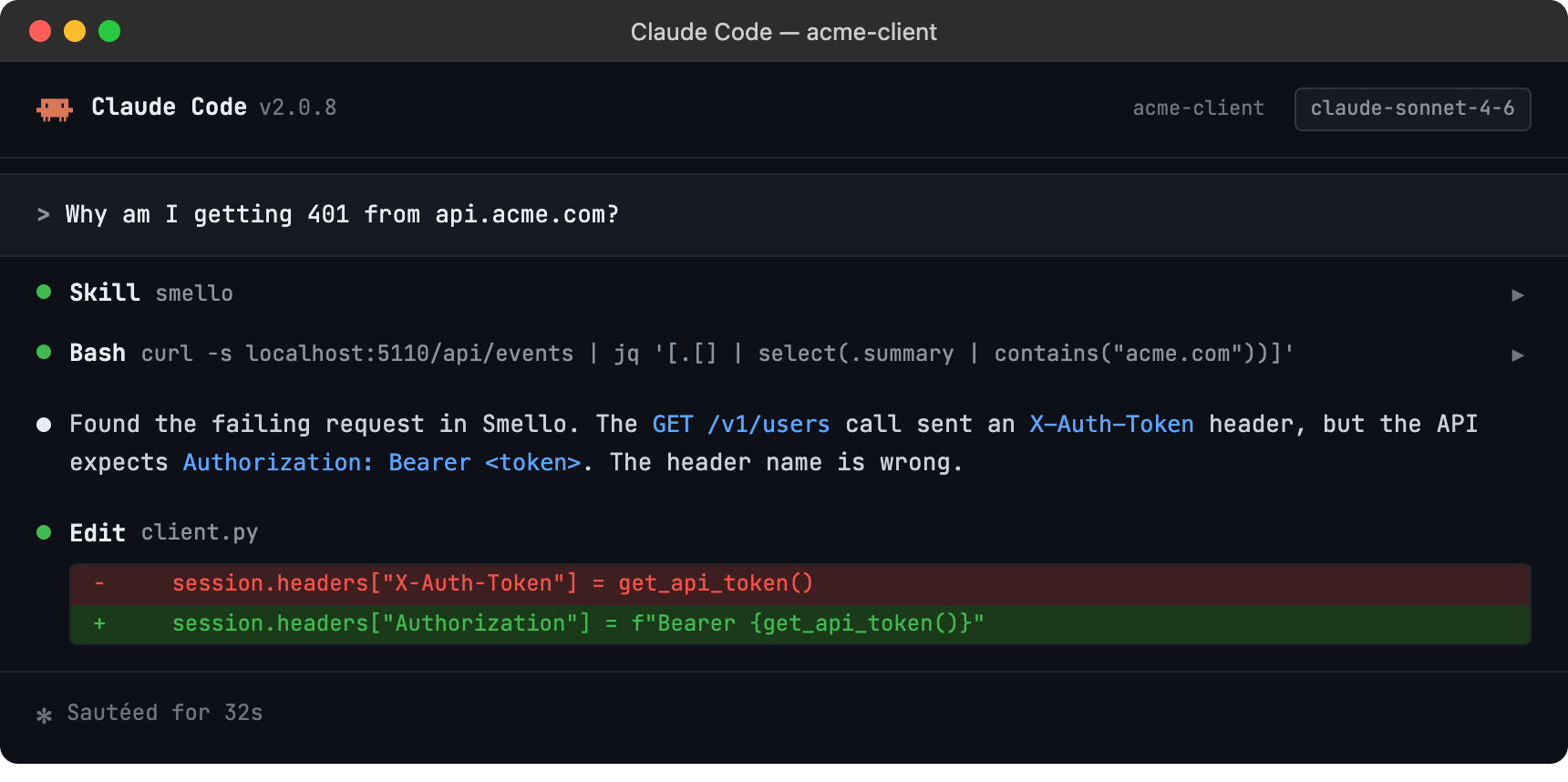
The skill is also invoked automatically when your agent recognizes a debugging question, but calling /smello explicitly gives the best results. See AI Agent Skills for compatible tools.
Tips
- Redirects:
requestsfollows redirects by default. If your request is being redirected before hitting the API, you'll see multiple captured requests: the original and each redirect hop. - Session reuse: Smello captures at the
Session.send()level, so it works whether you userequests.get()(which creates a temporary session) or a long-livedSessionobject. - Raised calls: Connection failures and timeouts produce failed operations with typed error details before Requests raises the original exception.
- Binary responses: Non-JSON response bodies are shown as raw text. Large binary responses are truncated with a size indicator.
- Header redaction:
Authorizationand cookie headers are redacted by default. Configureredact_headersto add more.
Next step: follow the getting started guide for installation, configuration, and more.