Debug aiohttp with Smello
aiohttp is a popular async HTTP client and server framework for Python. Smello injects a native TraceConfig into each client session to capture request lifecycle events, redirects, streaming responses, and connection failures.
Setup
Then run your script with smello run:
All requests made via aiohttp.ClientSession are captured automatically. No code changes needed.
Example script:
basic_aiohttp.py
Scenario: debugging connection pooling issues
You're making many concurrent requests with aiohttp and some are failing with ClientConnectionError. Is the target server throttling you? Are connections being reused properly?
async with aiohttp.ClientSession() as session:
    tasks = [session.get(f"https://api.example.com/items/{i}") for i in range(100)]
    responses = await asyncio.gather(*tasks, return_exceptions=True)
    # Some responses are ClientConnectionError: which ones?
Debug in the dashboard
Open the Smello dashboard. You can see every request that succeeded and every one that failed:
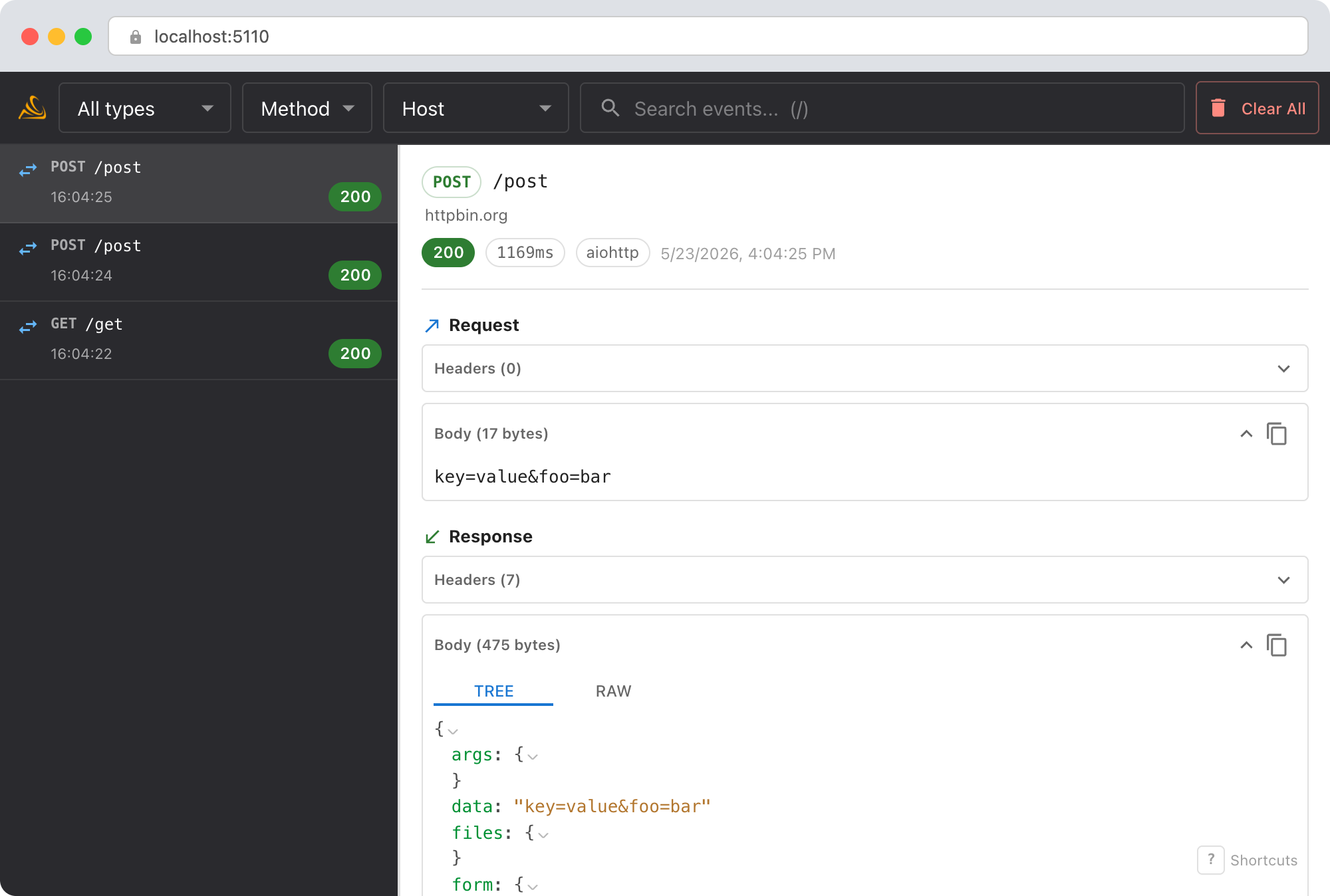
- Filter by status code: quickly find the 5xx or failed requests among hundreds.
- Timing patterns: sort by duration to spot requests that hung before failing.
- Host filter: if your code calls multiple services, filter to just
api.example.comto focus. - Remote host group: wraps adjacent loaded records by destination inside their runtime parent operations.
Debug with an AI agent
If you use Claude Code or another AI coding tool, the /smello skill can query captured events and cross-reference them with your source code. Install it once:
Then ask your agent:
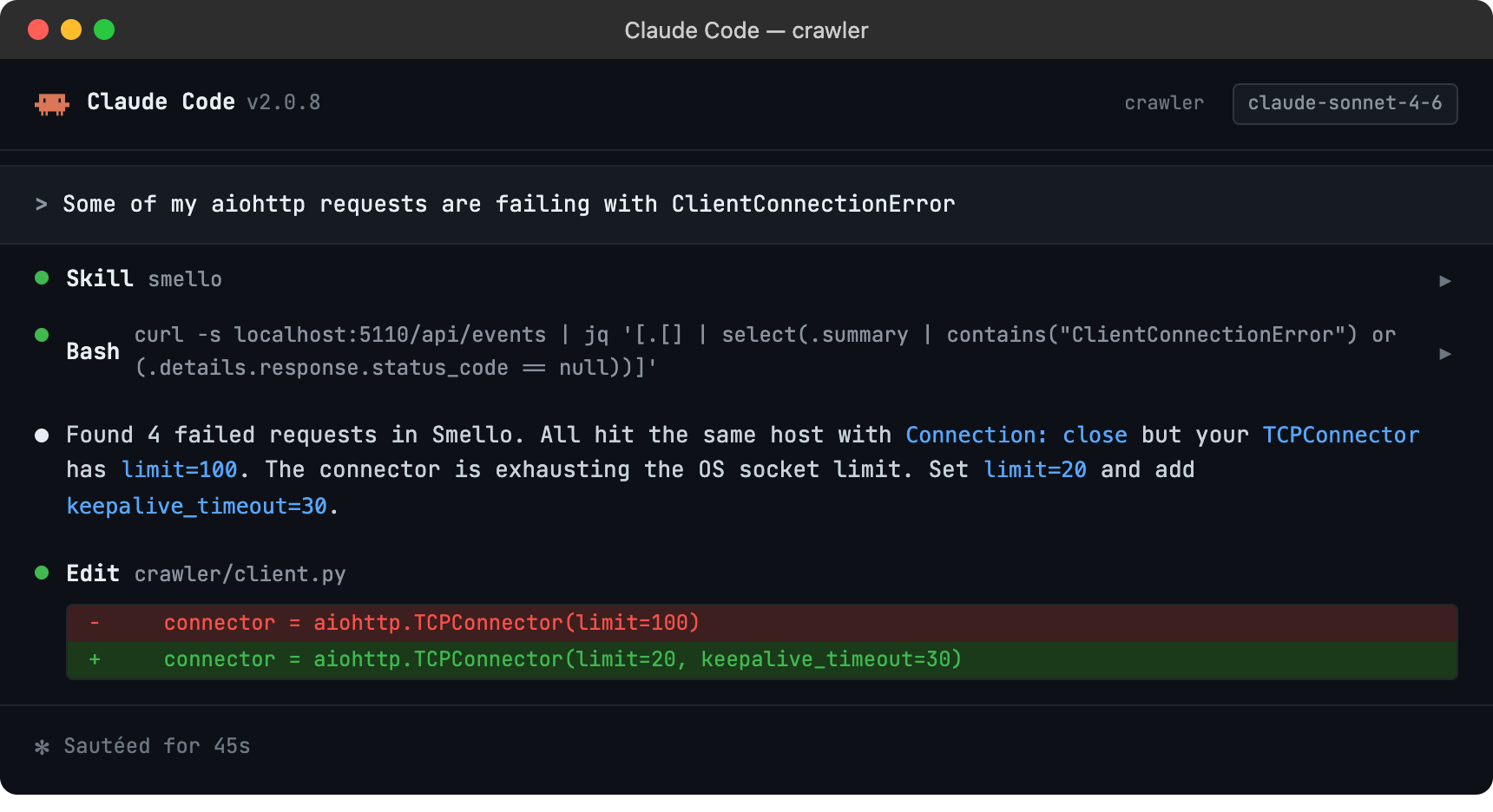
The skill is also invoked automatically when your agent recognizes a debugging question, but calling /smello explicitly gives the best results. See AI Agent Skills for compatible tools.
Tips
- Session methods: Smello captures requests regardless of which session method you use (
get,post,put,request, etc.). The injected trace signals observe them through the same aiohttp lifecycle. - Connector limits: If you're debugging throughput, pair the Smello timeline with aiohttp's
TCPConnector(limit=...)setting to understand how connection limits affect your request patterns. - Response body reading: Smello retains the request's detached runtime context until the response is read, released, or closed. A response closed without reading still produces an event, although its body may be empty.
- Raised calls: Connection errors and
raise_for_statusfailures produce typed failed operations before aiohttp re-raises the original exception.
Next step: follow the getting started guide for installation, configuration, and more.