Debug Stripe with Smello
Stripe's Python SDK makes HTTP calls to api.stripe.com using the requests library. When charges fail, webhooks misbehave, or idempotency keys cause confusion, you need to see the raw API traffic. Smello captures every Stripe API call automatically.
Setup
Then run your script with smello run:
Stripe's Python SDK uses requests under the hood (via urllib3). Smello captures all API calls automatically. No code changes needed.
Scenario: debugging a payment that silently fails
A customer reports their payment didn't go through, but your code didn't raise an exception. What happened?
stripe.api_key = "sk_test_..."

charge = stripe.Charge.create(
    amount=2000,
    currency="usd",
    source=token,
    description="Order #1234",
)
# charge.status is "succeeded" but the customer wasn't charged?
Debug in the dashboard
Open the Smello dashboard and filter to api.stripe.com:
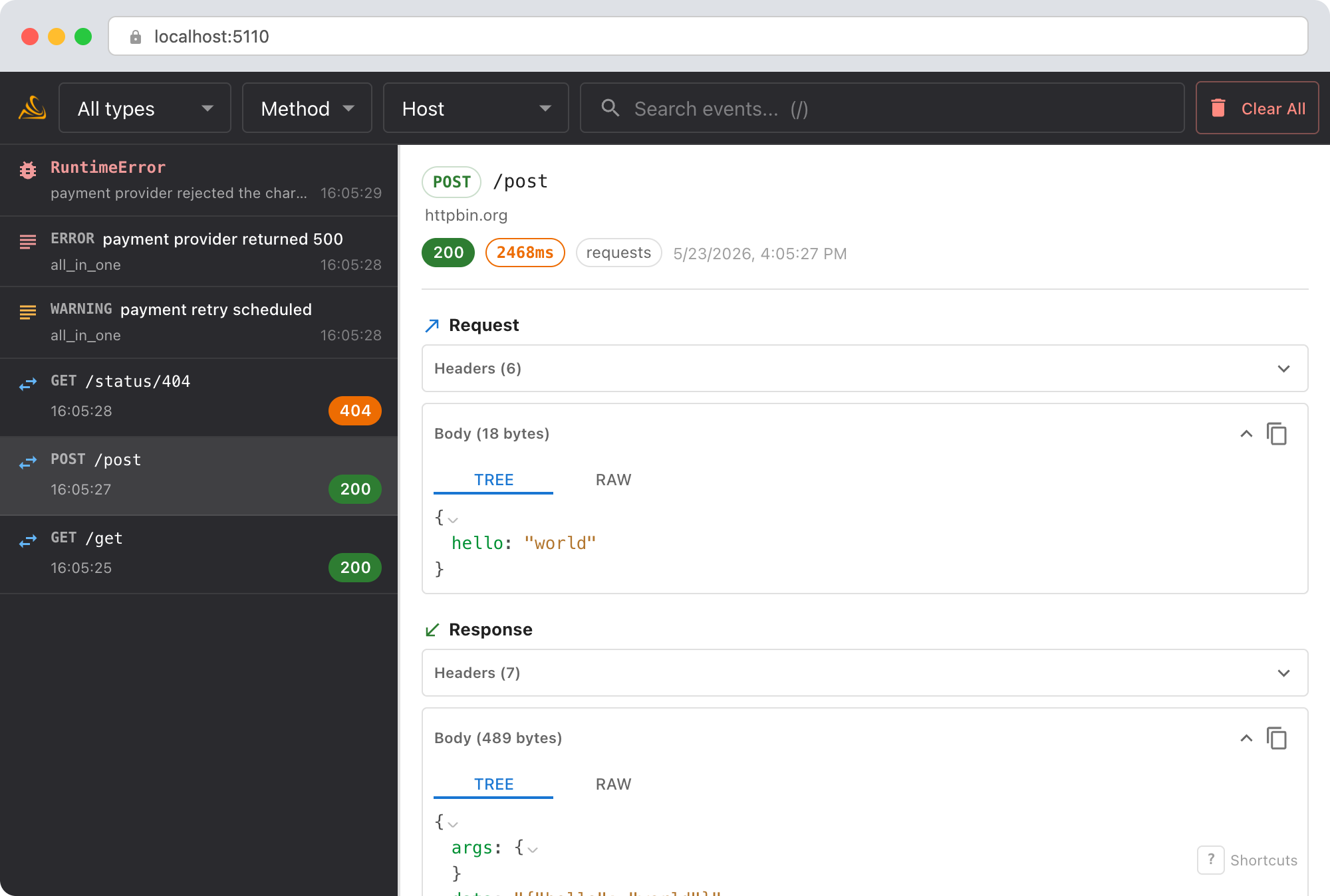
- Request body: see the exact parameters sent to Stripe. Is the
amountcorrect? Is thesourcetoken valid? - Response body: Stripe returns detailed charge objects. Check
status,paid,failure_code, andfailure_message. A charge can return 200 but still havestatus: "failed". - Multiple API calls: creating a charge might trigger additional calls (customer lookup, payment method validation). You'll see all of them in sequence.
Debug with an AI agent
If you use Claude Code or another AI coding tool, the /smello skill can query captured events and cross-reference them with your source code. Install it once:
Then ask your agent:
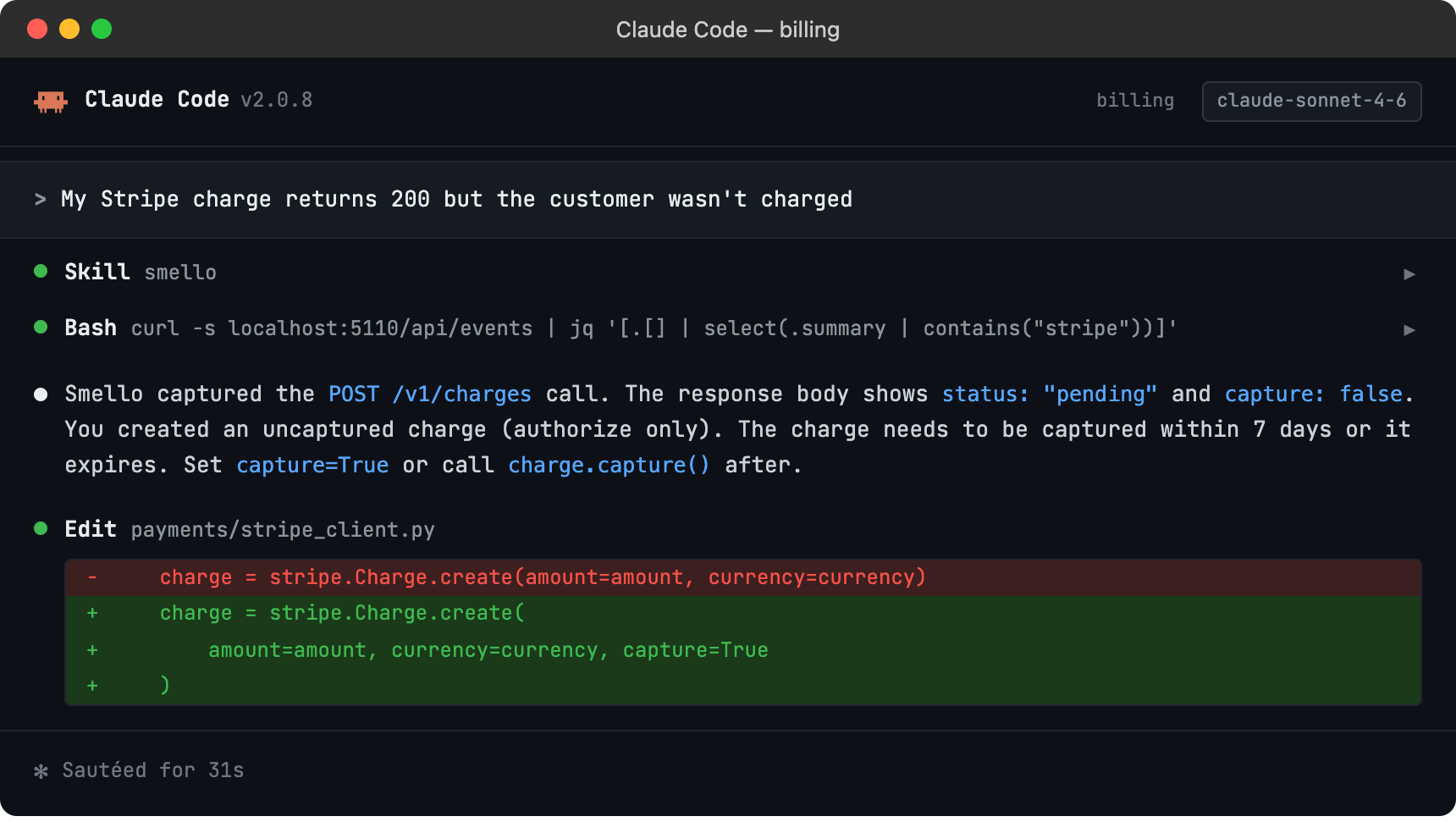
The skill is also invoked automatically when your agent recognizes a debugging question, but calling /smello explicitly gives the best results. See AI Agent Skills for compatible tools.
Tips
- Webhook debugging: If you're using Smello's FastAPI middleware to capture incoming requests, you'll see Stripe webhook
POSTdeliveries in the timeline alongside your outgoing API calls. This gives you both sides of the conversation. - Idempotency keys: Stripe's
Idempotency-Keyheader is visible in the request headers. If you're seeing unexpected behavior with retries, check that your idempotency keys are unique where they should be and stable where they should be. - Stripe-Request-Id: Every Stripe response includes a
Request-Idheader. When contacting Stripe support, you can grab this directly from the Smello dashboard. - Test vs. live keys: The request URL is the same for test and live mode. Check the API key prefix in the
Authorizationheader (redacted by default: un-redact if debugging key issues) or look forStripe-Accountheaders in Connect scenarios. - Pagination: Stripe list endpoints use cursor-based pagination. You'll see each page request separately in the timeline.
Next step: follow the getting started guide for installation, configuration, and more.